
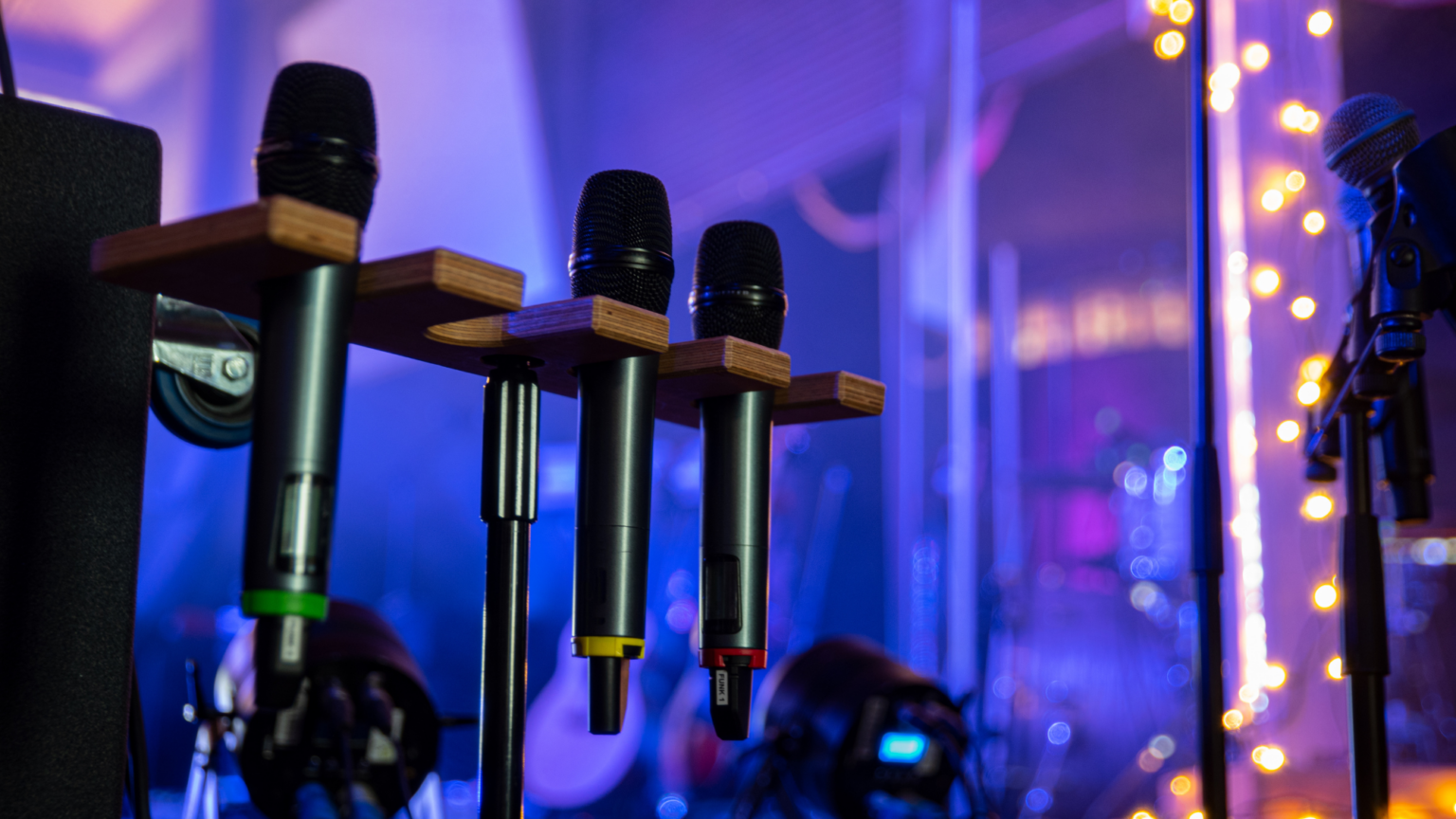
Between year-end all-hands meetings, investor updates, and the holiday party season, your calendar probably has more happening in the next few months than it has all year. Corporate event AV services in Marin County cover everything from a couple of microphones to a full conference system with cameras, lighting, and livestreaming.
Here’s what can be included, and how to tell what your event needs.
Key Takeaways
- Corporate event AV covers 4 main categories: audio, video, lighting, and scenic/staffing support.
- The right AV setup depends on your event type, not just your guest count.
- A general session with multiple presenters usually needs at least 1 dedicated technician on-site.
- Book corporate AV 3 to 6 months ahead of your event date, especially heading into the busy Q4 season.
What Corporate Event AV Services Actually Include
AV services break down into 4 main categories.
- Audio: powered speakers, wireless microphones, mixing consoles, and conference speakerphones.
- Video: projectors and screens, multi-format video switchers, cameras, and LED video walls.
- Lighting: stage wash lighting, uplighting matched to your brand colors, and gobo lighting for logos.
- Scenic and labor: pipe and drape, podiums, flipcharts, and on-site technicians for setup and operation.
Livestreaming and video conferencing support sits on top of these 4 categories for hybrid or remote events, connecting your room to Zoom, Teams, or WebEx.
Why Professional AV Matters for Your Event
Groups over 20 people usually need microphones so guests can actually hear the presentation. Poor audio undermines everything else you planned for the day.
- Executives and clients judge the event by what they see and hear, not just the agenda.
- Branded lighting and clean staging reinforce your company’s image on stage.
- A dedicated technician catches problems, like feedback, a dead battery, or a laptop that won’t connect, before your audience notices.
Corporate AV Services by Event Type
Boardroom Meetings and Breakouts
Small groups with a single presenter need minimal AV: a projector or TV screen, and maybe 1 microphone. A kick-off technician typically covers setup, with no need for someone to stay through the meeting.
General Sessions and Conferences
Larger groups with multiple presenters and a Run of Show need more support:
- Wireless microphones for each presenter.
- A multi-format video switcher for clean transitions between laptops.
- Confidence monitors and stage lighting.
- At least 1 on-site technician, with 2 to 4 for complex programs involving panels or cued lighting.
Product Launches and All-Hands Meetings
These events call for higher production value: branded lighting matched to company colors, LED video walls, and custom scenic elements. A tech run-through is strongly recommended whenever multiple presenters or complex cues are involved.
Hybrid and Livestreamed Events
Combining a remote audience with an in-room audience requires cameras, a digital console, and hardline internet. Venue WiFi split across hundreds of guests often can’t handle stable streaming, so a dedicated technician typically monitors the feed throughout the event.
Common Misconceptions About Corporate AV
- “The venue’s built-in AV will cover it.” Confirm exactly what’s included, who operates it, and which parts of your schedule it covers.
- “We only need AV for big events.” Groups over 20 people, in any size room, usually benefit from at least a microphone and speaker.
- “Any laptop will work with the projector.” Multiple presenters on different laptop types need a video switcher to avoid screen flicker or dead air between speakers.
How to Know if You Need Professional AV Support
- You have more than 20 attendees or a room larger than a typical office.
- You have more than 1 presenter or a scheduled Run of Show.
- You want branded colors, a logo, or company imagery reflected in the room.
- Remote employees or clients need to join by Zoom, Teams, or WebEx.
- You’re presenting to executives, investors, or clients where a technical hiccup would be costly.
What Makes Techtonic Events Different
Techtonic Events has produced corporate AV for Fortune 500 companies, from boardroom meetings to multi-day conferences, and works out of Santa Rosa serving Marin, Sonoma, and Napa Counties.
- 20+ years of combined industry experience across corporate, wedding, and social events.
- A single vendor for audio, video, lighting, and scenic needs, so you’re not coordinating 4 separate companies.
- Direct coordination with your IT department for network and streaming setup.
- 5-star reviews across Google, Facebook, and Yelp, plus multiple Best of North Bay awards.
What to Do Next
- Confirm your event details. Note your expected attendance, room dimensions if you have them, and whether presenters are remote or in person.
- Check what your venue provides. Get specifics on existing AV in writing, including who operates it and which parts of your schedule it covers.
- Reach out for a free consultation. Techtonic Events can walk through your Run of Show and recommend the right level of support, whether that’s a single technician or a full conference system.
Let's Talk About Your Corporate Event!
Whether you’re planning a boardroom meeting or a multi-day conference, Techtonic Events can help you figure out exactly what AV support your event needs. Reach out early, since 3 to 6 months of lead time gives your team the most flexibility heading into the fall and winter conference season.
Reach out to Techtonic Events today to schedule a free consultation.
📞 (844) 483-2428
Follow Us on Instagram and see our work in action!
Frequently Asked Questions
Do I Need an On-Site Technician for a Small Meeting?
Simple breakout sessions with a single projector or screen usually just need a kick-off technician for setup. Once you add multiple mics, slides, or livestreaming, plan for at least 1 technician on-site through the event.
How Far in Advance Should I Book Corporate AV in Marin County?
3 to 6 months ahead of your event date works best. Complex productions have been booked in under a week, but that leaves little room for planning or equipment availability.
What's a Run of Show, and Do I Need One?
A Run of Show is a minute-by-minute timeline the AV team uses to trigger audio cues, lighting changes, and slide transitions. It’s required for complex events with multiple presenters or cued lighting.
Can Your Team Work With Our IT Department?
Yes. Coordinating with corporate IT departments on network needs and streaming setup is a regular part of corporate AV production.
Do You Offer AV Support for Hybrid or Livestreamed Events?
Yes. That includes cameras, video switchers, hardline internet for stable streaming, and a technician who monitors your Zoom, Teams, or WebEx feed throughout the event.
What if I'm Not Sure How Much AV Support I Need?
That’s common, especially for a first-time event planner. A free consultation, whether by phone, video, or an in-person site visit, is the fastest way to match your event to the right level of support.
Owner
Leo James is the Founder and Owner of Techtonic Events, a full-service live and virtual event production company based in Sonoma County, California. With more than two decades of experience in audiovisual design, staging, and production management, Leo has built Techtonic Events into a recognized leader in experiential events, brand activations, and corporate productions.
His expertise spans high-end conferences, festivals, nonprofit galas, and hybrid digital events, where he blends creativity, technology, and storytelling to deliver memorable experiences. Known for his calm professionalism and technical mastery, Leo leads a talented team that brings complex productions to life — from lighting and sound design to full-scale show execution.
Leo’s vision for Techtonic is rooted in collaboration, innovation, and exceeding client expectations through seamless production and genuine partnership.